VAL MCP
Connect Claude, or any MCP-compatible AI, directly to your data.
Two steps in VAL's own settings, and Claude can query your reconciled data directly — no pasted tables, no screenshots, no guessing from what's in the chat window.
Settings → Integrations → Claude.ai MCP Connector
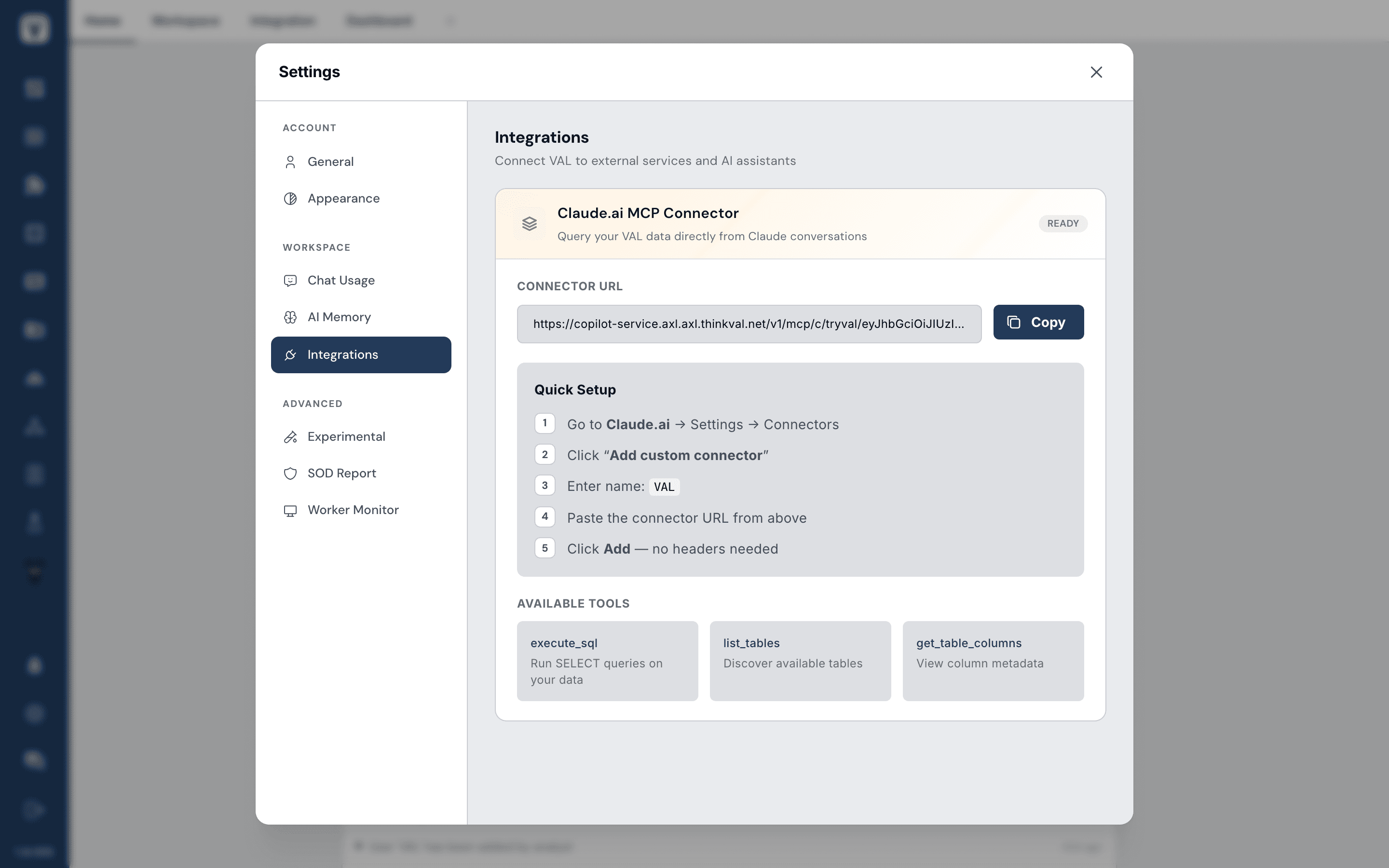
Copy the connector URL, add it in Claude, and ask something like "What were my top 5 outlets last month?"
What Claude can actually do
execute_sql
Run SELECT queries on your data.
list_tables
Discover available tables.
get_table_columns
View column metadata.
The full walkthrough, including what to do if the connector stops working, is in the Connect Claude to VAL guide.